System Status: Online

Premium Streaming
for your TV Setup.

Cloud Dock TV connects your personal cloud storage accounts directly to the big screen. Stream your favorite movies, videos, and photos with zero friction.
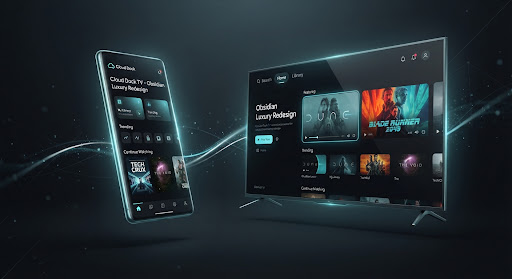
Cloud Dock TV Connected Ecosystem Preview
01 / Simple Connection

Instant QR Pairing

Point, scan, and play. Connect your devices from your couch in three simple steps.

STEP 01

Get Code on TV

Open the app on your TV. A secure, temporary QR pairing code will appear on your screen.

STEP 02

Scan with Phone

Open the app on your phone and point your camera at the TV screen to scan the QR code.

STEP 03

Enjoy Your Media

Your devices are connected. You can start browsing and playing your media files instantly.

LINK SUCCESS
02 / Live Colors

Theme & Custom Color Live Sync

Click a color swatch on the phone panel to instantly update the TV style to match.

smartphone

Mobile Control Panel


Choose Your Palette

Contrast Safety Indicator:
check_circleCONTRAST PASS (11.0:1)
tvTV Real-time Screen Render
play_arrow
03 / Try the TV App

Interactive TV App Demo

Use your keyboard's arrow keys or click the remote buttons below to navigate and experience the TV app.

LIVE SIMULATED DISPLAY
20:45
Saturday, 19 Jul
cloud_sync
Recently Added

Cloud TV Landing Concept

Interactive design files synced dynamically to the Stitch Web platform.

Recent Cloud ItemsReady
movie

Interstellar 4K

4.2 GB • MP4

photo_library

Vacation Album

128 Photos

settings_backup_restore

Media Backup

Synced

downloadDownloads
shareShared
starFavorites
deleteTrash

D-pad Remote

Click below or use physical arrow keys to control the layout focus.

Arrow Keys = Nav
Enter Key = Select (OK)
04 / Questions & Answers

Frequently Asked Questions

Common questions about setting up and using the app.

Just open the app on your TV to show a single-use secure QR code, then scan it with your phone's camera. Your devices will sync instantly, allowing you to browse and play files right away.
Yes. Your media streams directly from your personal Google Drive account to your TV. Your files are never cached, copied, or stored on external servers, ensuring absolute privacy.
We support up to 4K and HDR video playback. Streaming speed and resolution depend on your television's display capabilities and your home internet connection quality.
No, the basic app is free and supports up to 20 folders. Upgrading to a Pro subscription removes banner ads, unlocks unlimited folders, and enables premium cinematic transitions.
Yes! You can choose your favorite colors on the Mobile Admin panel, and your TV screen will instantly change styles to match your selected theme.

Ready to upgrade your living room setup?

Join thousands of power users who have turned their Android TVs into elegant, direct-streaming hubs.

Test the Simulatorarrow_forward